PagerDuty Extension for ServiceDesk Plus Cloud - Admin Guide
The PagerDuty Integration for ServiceDesk Plus Cloud enables seamless bi-directional synchronization between IT alerting systems and IT service management (ITSM) operations.
This extension connects ServiceDesk Plus Cloud (SDP) with PagerDuty, allowing incidents triggered in PagerDuty to automatically create and update corresponding tickets in SDP. At the same time, updates made in SDP such as status changes, technician assignments, priority updates, and notesare synchronized back to PagerDuty.
The integration ensures that ServiceDesk Plus Cloud remains the system of record, while PagerDuty continues to manage real-time alerting and on-call escalation. This eliminates manual ticket creation, reduces response time, and ensures that IT operations teams and service desk technicians work with consistent and synchronized incident data across both platforms.
By leveraging REST APIs, webhook events, workflow automation, and configurable mappings, the extension provides a reliable and scalable solution for integrating alert management with service desk operations.
With this integration:
- ServiceDesk Plus Cloud remains the system of record .
- PagerDuty continues to handlereal-time alerting and on-call escalation .
Key Features
- Bi-Directional Incident Synchronization : Incidents created in Service Desk Plus are automatically created in PagerDuty, and updates in either system are synchronized to maintain consistent incident information. .
- Automatic Ticket Creation from PagerDuty Alerts : Automatic Ticket Creation from PagerDuty Alerts : PagerDuty alerts and incidents automatically generate corresponding tickets in ServiceDesk Plus Cloud.
- Real-Time Change Updates : Changes such as status and priority are synchronized instantly using configurable mapping rules.
- RHS Widget for Incident Context : A contextual Right-Hand Side (RHS) widget within ServiceDesk Plus Cloud displays latest PagerDuty tickets info.
- Incident Notes Synchronization : Notes added to incidents in either platform are automatically appended to the linked incident in the other system, maintaining a complete activity history.
- Passive User Creation in PagerDuty: When an assigned technician in ServiceDesk Plus Cloud is not found in PagerDuty, the integration automatically provisions the user in PagerDuty to maintain uninterrupted incident synchronization.
Required Roles
SDOrgAdmin, Pager Duty Admin Access
ServiceDesk Plus Cloud Configuration
Follow these steps in SDP to enable and configure the integration and administrative widgets used to manage tasks and mapping.
Install the PagerDuty extension in ServiceDesk Plus Cloud
- Navigate to
Setup → Apps & Add‑ons → Extensionsand install the PagerDuty extension (or install from ManageEngine Marketplace). - The integration is enabled by default during installation. To stop data flow, disable the integration from the extension configuration.
PagerDuty Admin Configuration
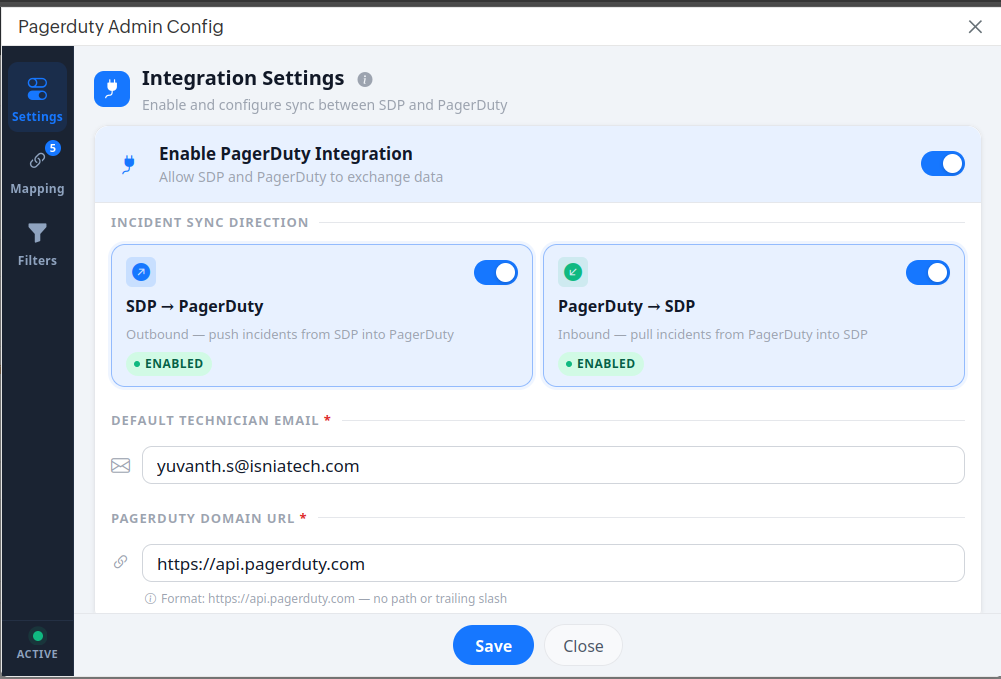
The PagerDuty Admin Widget is used to configure and manage the integration. Key areas:
- Enable PagerDuty Integration: Toggle to enable or disable synchronization.
- Incident Sync Direction: Toggle to enable or disable the synchronization between the Systems. Define whether synchronization is one-way or bi-directional.
- Default Technician Email: Email ID to be used when an user is not available in SDP.
- PagerDuty Domain URL: Provide the PagerDuty API domain based on your organization’s service region (e.g., Global/US Region: https://api.pagerduty.com or European (EU) Region: https://api.eu.pagerduty.com).
Configure Field Mapping
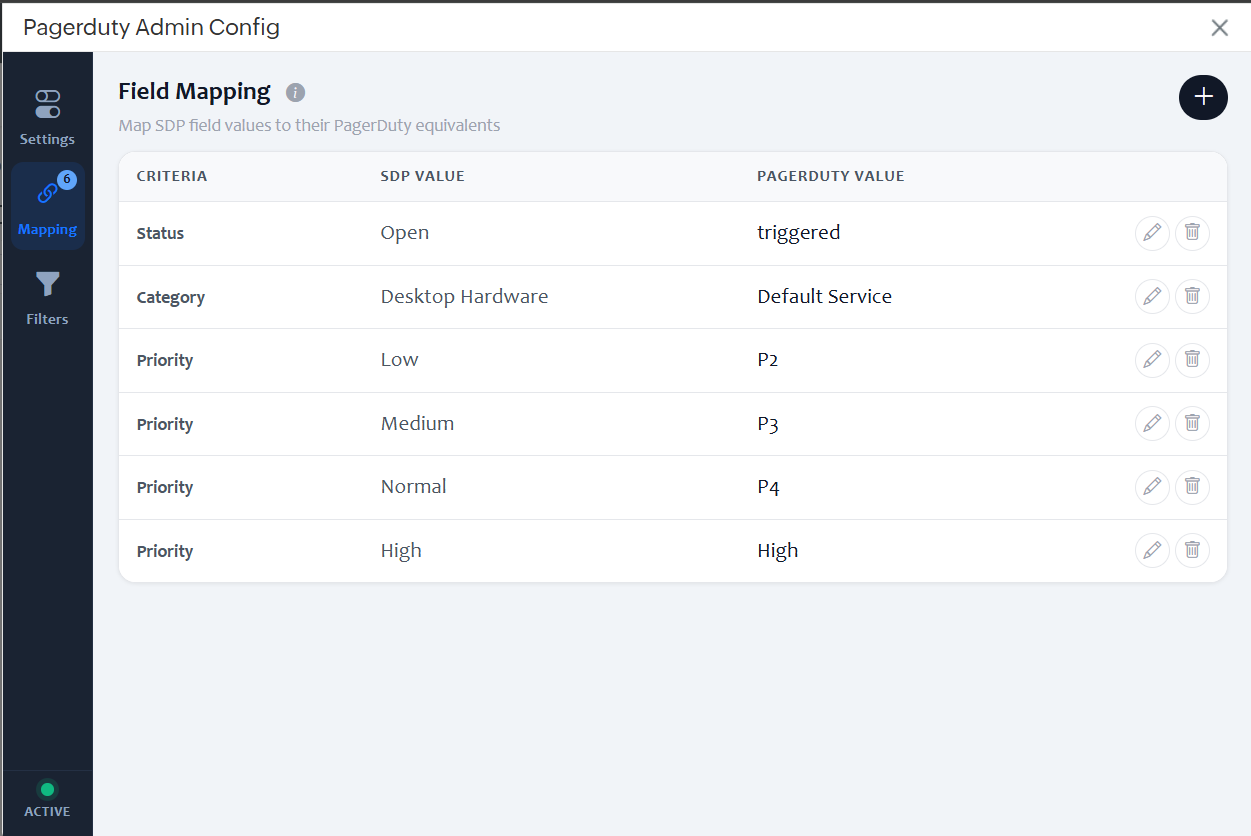
- Open the PagerDuty Admin Widget.
- Navigate to Mapping.
- Map the required fields (e.g., Status, Priority, Urgency, Services, Incident Type).
- Click Save.
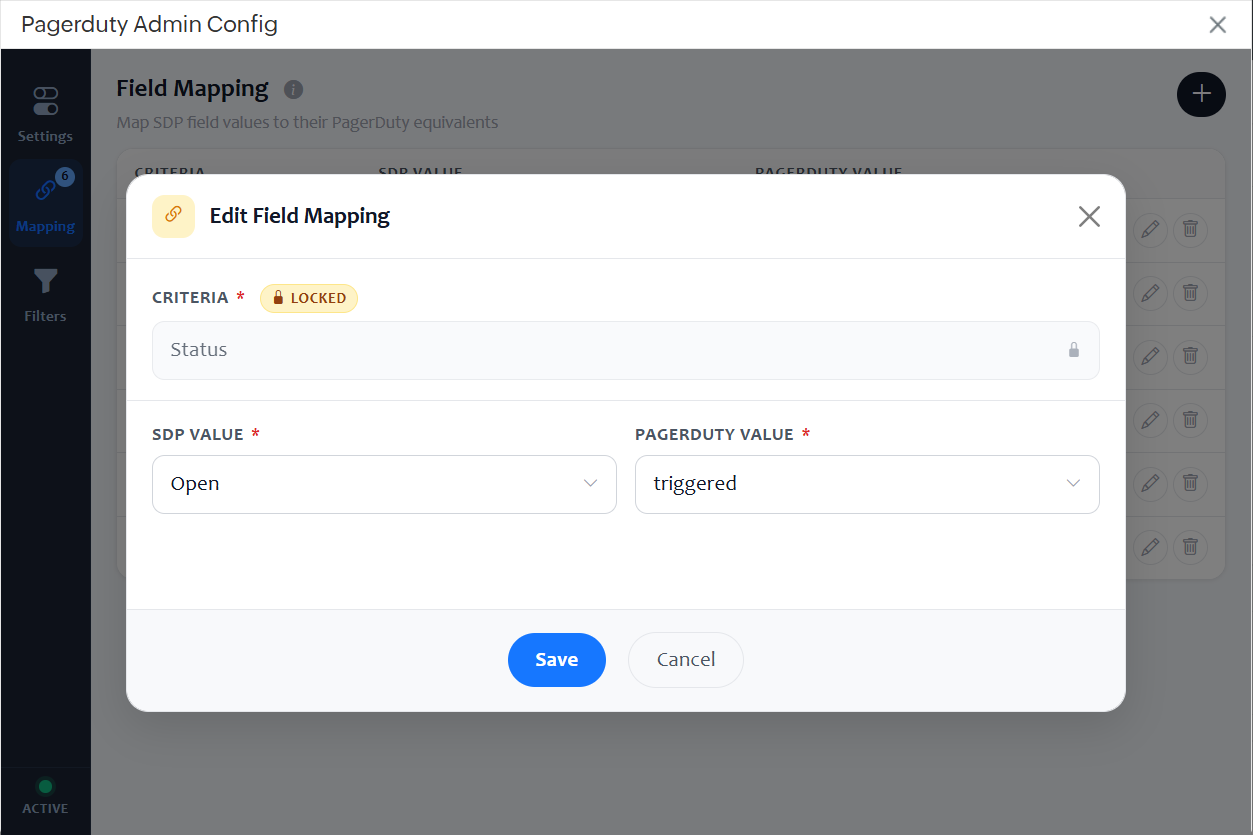
- Go to Mapping → Click the Edit icon for the required field.
- Update the SDP value, or PagerDuty value.
- Click Save.
- Users need to add mapping for all the values required to sync between PagerDuty and SDP for a field.
- Users can edit or delete the added mappings based on their requirements.
- At least one Category mapping is required to . Click Add Mapping and select category as the criteria.
Edit Field Mapping:
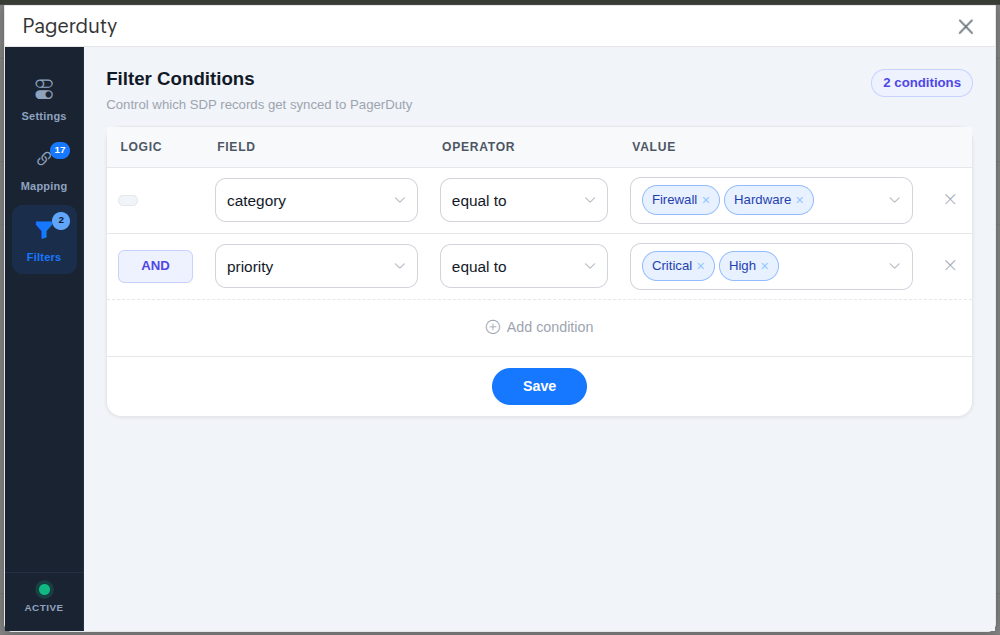
Configure Filter Conditions
- Open the PagerDuty Admin Widget.
- Navigate to Filters.
- Add required filter condition to send the new SDP incidents to PagerDuty
- Click Save.
Pagerduty Rightpanel widget
The Pagerduty Rightpanel widget displays incident details from PagerDuty directly within the ServiceDesk Plus Cloud request page, providing a contextual view of synchronized incident information.
This enables users to monitor the current synchronization status and access critical incident details without switching between platforms, thereby improving visibility and reducing response time.
- Pagerduty redirect url: Allows users to navigate directly to the corresponding incident in PagerDuty.
- Refresh Icon: Enables reloading of the widget to retrieve the latest incident status and updates.
- Notes Section: Displays notes associated with the PagerDuty incident for better context and tracking.
Sample View
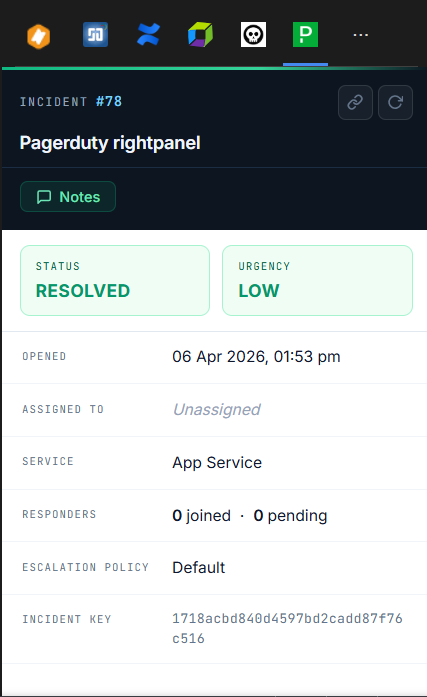
By bringing PagerDuty information into the request view, the widget ensures users can take quicker actions and stay updated with real-time incident data.
PagerDuty Configuration
To complete the integration, configure PagerDuty to send and receive data from ServiceDesk Plus.
Configuration in PagerDuty
Configure integrations that triggers an incident events and POST JSON payloads to the SDP callback endpoint.
Types of integration:
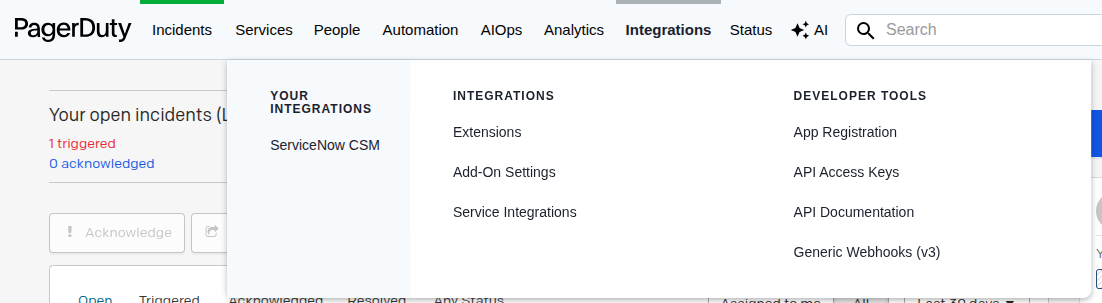
- Integrations - Generic Webhooks(v3) - Used to POST payload when an Incident is created or modified.
- Integrations - API Access Keys - Token to configure the connection between PagerDuty to SDP.
Configure Webhook Integration
This allows PagerDuty to send incident data to SDP. Login into PagerDuty with admin access and configure.
- Navigate to Integrations --> Generic Webhooks
- Click on the New Webhook to configure
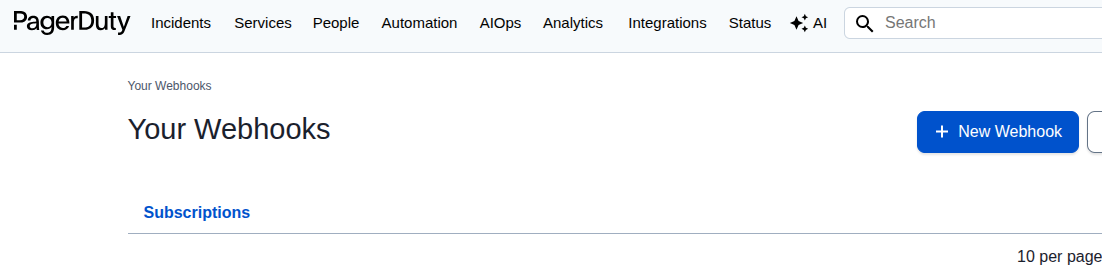
- Enter the SDP Callback endpoint( callback end pioint can be copied from SDP ->Setup->Custom Function ->Callback Funtion ->PD Callback -> View ->URL to execute this Custom Function ) in Webhook URL and define the service, scope and events based on the preference and enter "Add Webhook" to complete the configuration.
Note: Scope should be "Account".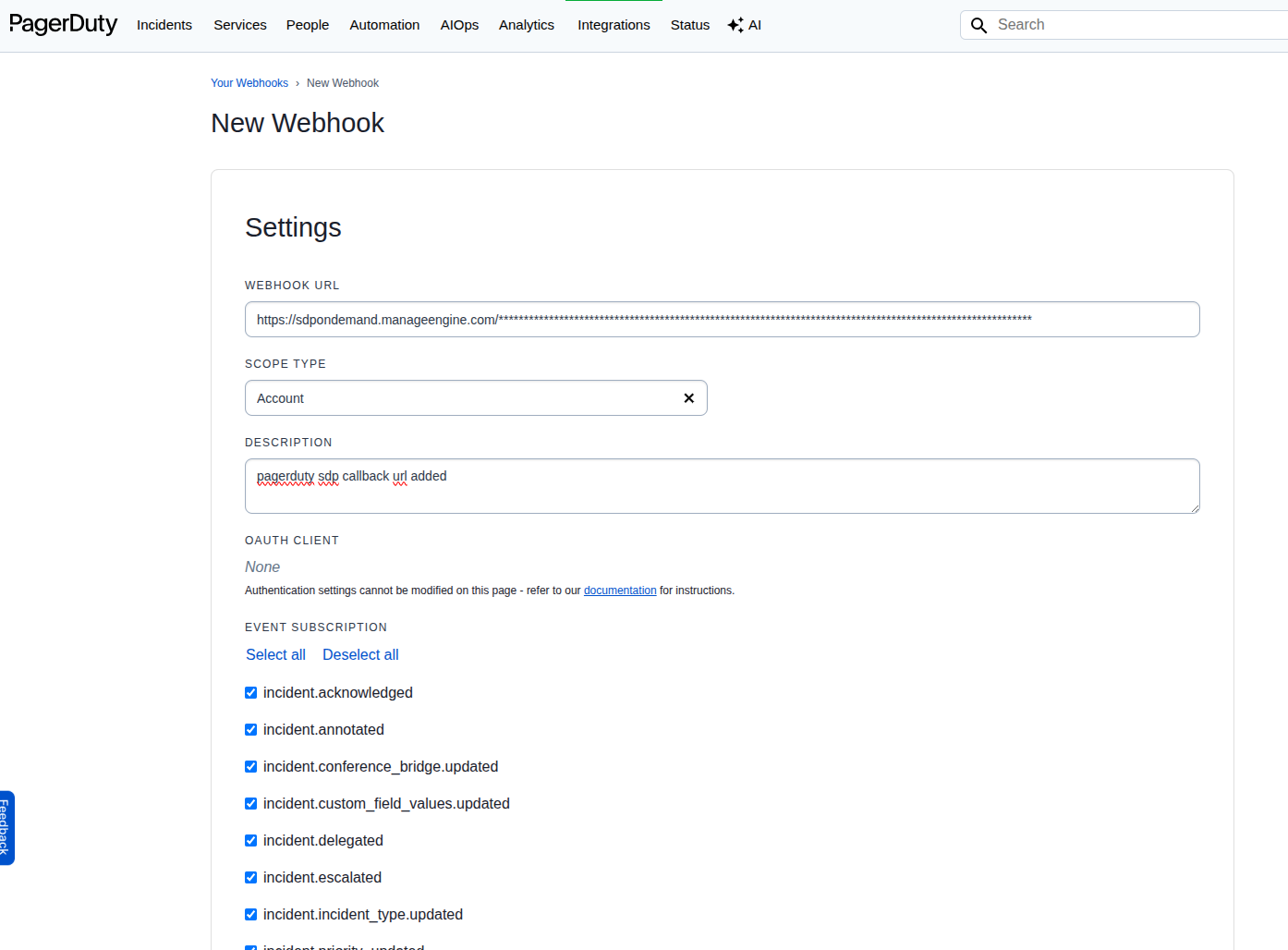
Generate API Access Key
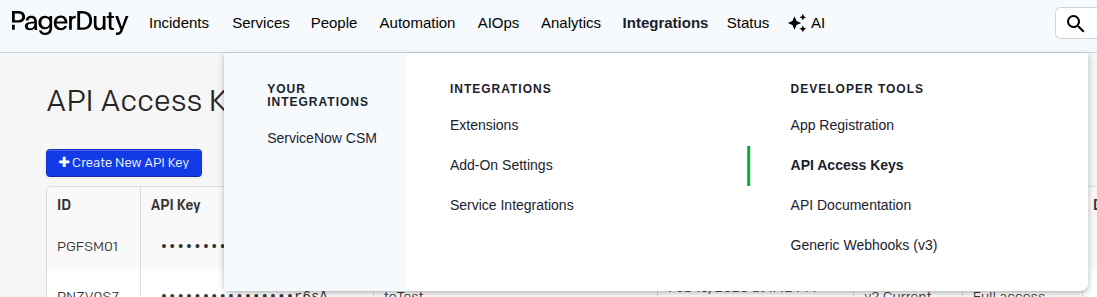
- To obtain the API key from PagerDuty, go to Integration--> API Access Keys -->Create New API Key-->Copy the generated API key
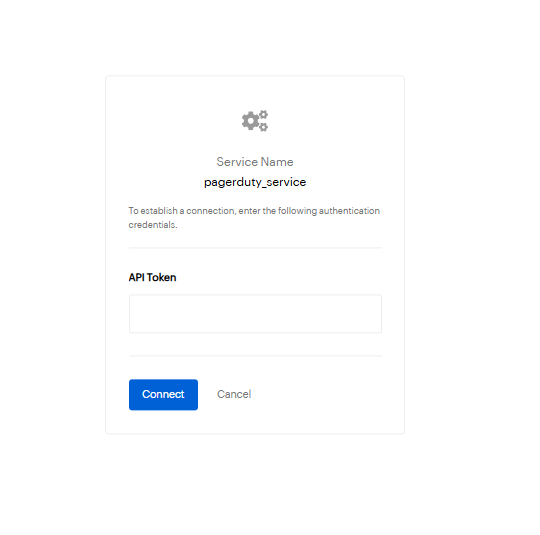
Configure Connection in SDP
In order to establish the connection from SDP to Pagerduty, need to configure connection in the installed PagerDuty Extension.
- In SDP goto Setup->Extensions->Installed Extensions ->PagerDuty then Click the Connections available within Extension and enter the API token obtained from PagerDuty and click Connect.
Note:- API token should be in the below format(Token token=yourtoken)
- Example: Token token=as23nu+h123njdiw